
SpeakUp AI - Language Learning
GrowlyEducation
4.87.00 Reviews
- Version
- 1.2.5
- Installs
- 500.00K
- Age Rating
- Everyone
Screenshots


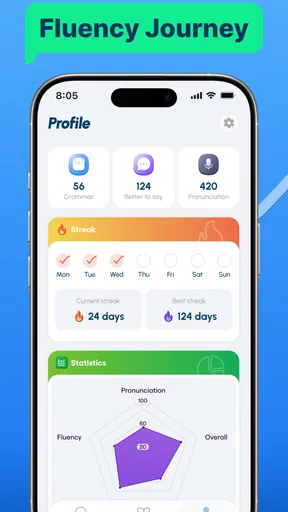
Our Review of SpeakUp AI - Language Learning
 Analysis by Appyee
Learning to speak a language is very different from recognizing words in a lesson. I have used SpeakUp AI as a practical conversation tool, and its biggest appeal is clear from the first session: it gives you a place to practise speaking English or Spanish with real-time artificial-intelligence conversation and feedback. That makes it feel closer to a rehearsal partner than to a traditional vocabulary app.
It is an education app from Growly, available free of charge and suitable for Everyone. The app has reached over 500 thousand installs, with an average rating of 4.8 from around 2 thousand ratings. Those figures suggest that it has found a useful place for learners who want more speaking practice, although popularity alone does not tell me whether it will suit every learning style.
My overall impression is that this is most useful when you already know some basic words and sentence patterns but hesitate when it is time to speak. It can help turn passive knowledge into active practice. At the same time, I would not treat it as a complete replacement for a structured course, a teacher, or real conversations with people.
How the app approaches speaking practice
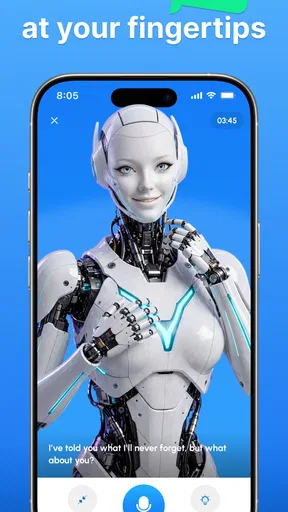
The central idea is simple: instead of only tapping answers or repeating isolated phrases, you interact with an AI conversation partner. You can use that format to practise forming replies, reacting to questions, and keeping a conversation moving. That difference matters because many learners understand written English or Spanish reasonably well but freeze when they must produce an answer quickly.
I found the real-time element especially relevant for learners who avoid speaking because they are worried about making mistakes. A private AI practice session removes some of the social pressure. You can try a sentence, notice the feedback, and attempt it again without feeling that you are holding up another person.
The app’s short description is simply “SpeakUp AI,” while its broader purpose is speaking English and Spanish with conversational feedback. That focus keeps the experience more direct than apps built mainly around flashcards, translation, or grammar drills. If your immediate goal is to become more comfortable saying things aloud, the design direction makes sense.
Still, conversation practice works best when you approach it actively. I would not open the app, give one-word answers, and expect fluent speech to appear automatically. A better routine is to answer in complete sentences, add a detail even when it is not required, and deliberately reuse a correction in the next exchange.
What the free access means for value
The app is free, so there is no purchase decision to make before trying it. That is important for a speaking tool because its usefulness depends heavily on whether you enjoy the interaction and whether the feedback feels helpful for your level. You can test that fit without committing money first.
I would describe the value as practical rather than comprehensive. SpeakUp AI gives you a low-friction way to practise producing language, which is often the part learners neglect. It does not automatically provide the same depth as a complete curriculum with carefully sequenced grammar, reading, listening, writing, and revision.
For someone comparing it with paid tutoring, the free price makes it an easy supplement. It cannot reproduce the judgment, cultural explanation, and personal encouragement of a good teacher, but it can help you arrive at a lesson with more confidence and more questions. For someone comparing it with another free language app, the deciding factor is whether speaking feedback matters more to you than a large collection of drills.
I also appreciate that the app’s age rating is Everyone. That makes it approachable for a broad audience, although younger learners may still benefit from guidance on how to use conversational practice responsibly and consistently. The rating describes suitability, not the learning plan each person needs.
Where it delivers more than a standard lesson
The strongest benefit is the transition from recognition to production. A flashcard may help you remember a word such as “appointment,” but a conversation forces you to place that word into a sentence and respond to context. That small difference exposes gaps that are easy to miss when studying only by selecting correct answers.
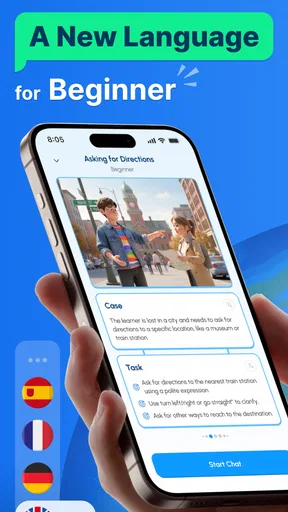
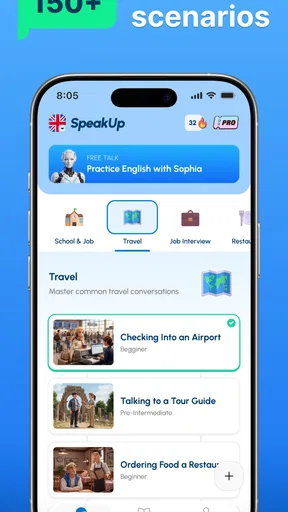
A useful everyday scenario would be preparing for a short trip. I would practise introducing myself, asking for directions, ordering food, or explaining a simple problem. Rather than memorizing a fixed dialogue, I would answer naturally and then try the same situation again with a different detail. That creates a more flexible habit than repeating one perfect sentence.
Another strong use is warming up before a real conversation. Five or ten minutes of speaking can help you retrieve common phrases before a class, phone call, interview, or meeting. The point is not to become fluent in one sitting; it is to reduce the awkward pause that happens when familiar words are temporarily inaccessible.
There is also value in using the app as a diagnostic tool. If I repeatedly avoid verb tenses, give extremely short answers, or rely on the same safe vocabulary, the conversation reveals those habits. I can then write down a small target for the next session, such as asking one follow-up question or using a past-tense sentence. That makes practice more deliberate.
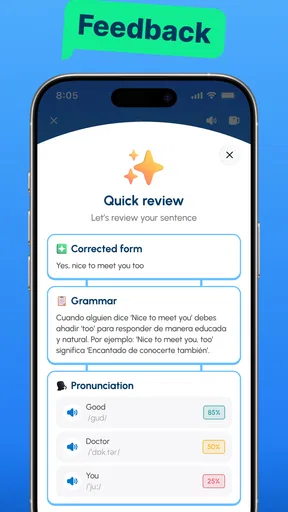
The most effective workflow is to speak first, review the feedback, and immediately repeat the idea in a new sentence. Treating feedback as something to read once and forget wastes much of the app’s potential. The second attempt is where I notice whether I actually understood the correction.
Three practical ways to get better results
First, I would avoid translating every thought from your native language before speaking. That habit makes responses slow and encourages complicated sentences. Start with the simplest version you can say, then add detail. In a conversation app, a clear short answer is a better starting point than a sophisticated sentence that never gets spoken.
Second, keep a small “repeated problems” note outside the app. Do not record every correction. Choose only patterns that appear more than once, such as missing articles, incorrect word order, or difficulty with question forms. Reviewing a short list before the next session is more manageable than collecting a huge vocabulary list that you never use.
Third, change your objective from session to session. One practice can focus on speaking without long pauses, another on asking questions, and another on using past events. This prevents the interaction from becoming passive and gives you a way to judge improvement beyond a general feeling that the app was pleasant.
These methods are not flashy features, but they make a real difference. AI conversation is easy to start and easy to use casually. The learner’s routine determines whether it becomes meaningful practice or just another short activity opened and abandoned.
Tradeoffs to understand before relying on it
The first limitation is that an AI partner is not a human conversation partner. It can give you practice responding, but it does not replace the unpredictability of a person who has their own accent, mood, background, and way of expressing ideas. If your goal is to handle fast informal speech or culturally specific conversation, you will eventually need human listening and speaking experience too.
Feedback also needs judgment. A correction can be technically useful while still not explaining why a phrase sounds natural in one situation and awkward in another. I would use the app to notice possible problems, then confirm important grammar or usage through a trusted learning resource. This is particularly important when you are preparing for an exam or a professional setting.
Another tradeoff is structure. A conversation-first tool can be motivating, but it may not tell you exactly which grammar topic to study next. Beginners who need a carefully ordered path may prefer a course that introduces sounds, basic sentence construction, vocabulary, and review in a fixed progression. SpeakUp AI is more appealing when you want practice applying what you already know.
It may also be a poor fit if you dislike speaking aloud or want a completely quiet study experience. The app’s purpose is active conversation, so learners who prefer reading exercises, spelling games, or visual memorization should not choose it simply because its rating is high.
Finally, free access is valuable, but “free” should be judged by usefulness rather than by the absence of a price. If you only open the app occasionally and never revisit feedback, even a free tool costs you time without producing much progress. The best value comes from regular, focused use.
How it compares with familiar alternatives
Compared with flashcard apps, SpeakUp AI is better suited to retrieval under pressure. Flashcards are usually more efficient for memorizing individual words and reviewing them repeatedly. I would use flashcards to build raw vocabulary, then use conversation practice to make that vocabulary available in real sentences.
Compared with grammar-focused apps, it offers a less controlled environment. Grammar courses are better when you want an explanation, a sequence of examples, and targeted exercises on one rule. SpeakUp AI is better when you know a rule in theory but need to use it quickly without stopping to analyze every sentence.
Compared with a human tutor, it is more convenient and private, and the free price makes experimentation easier. A tutor remains stronger for personalized correction, pronunciation nuance, cultural context, and accountability. I see the app as a useful rehearsal partner before or between lessons, not as a complete substitute for expert instruction.
Compared with language-exchange platforms, it removes the need to coordinate with another person. That makes it easier to practise whenever you have a spare moment. The compromise is that you lose the genuine unpredictability and mutual exchange of a real partner. If your main problem is anxiety, AI practice may be the gentler first step; if your main problem is understanding different people, human exchange becomes essential.
Who is most likely to benefit
I would recommend it first to lower-intermediate learners who can understand basic language but struggle to respond smoothly. It is also a good match for busy adults who cannot schedule frequent lessons and want a convenient way to speak for a short period. Travellers, job seekers, and students preparing for everyday interactions can use it to rehearse situations before they happen.
It can help beginners too, provided they are willing to keep their answers simple and accept that the first sessions may feel limited. Beginners should pair it with foundational lessons rather than expecting conversation alone to explain every building block of English or Spanish.
More advanced learners may find value in using it for speed, confidence, and topic practice. However, they may eventually want richer discussions, more specialized vocabulary, and feedback on subtle style choices. At that stage, conversations with skilled speakers or a teacher may offer more challenge.
I would skip it if you are looking for a full textbook replacement, a formal assessment system, or guaranteed human correction. I would also skip it if you have no interest in speaking aloud. The app’s strength is specific, and it is better to recognize that than to expect one free education app to cover every language-learning need.
Version, availability, and everyday practicality
The current version is 1.2.5, and it supports devices running Android 7.0 or later. That gives the app a broad potential device range, which is useful if you are learning on an older Android phone rather than a recent flagship. In practical terms, I would still keep the app updated when possible so the conversation experience remains aligned with the latest release.
Because the app is free and focused on speaking, I would try it during the exact moments when you normally avoid practice: before leaving for work, during a quiet break, or shortly before a lesson. A short routine attached to an existing habit is more realistic than promising yourself a long study block every day.
One approach I found sensible is to give each week a narrow purpose. For example, practise introductions first, then past experiences, then asking for clarification. This helps you notice progress and prevents conversations from becoming random. It also makes the app easier to combine with a textbook, class, or vocabulary system.
My final recommendation
SpeakUp AI is worth trying if your main obstacle is speaking rather than collecting more study material. Its free access lowers the risk, and its conversation-and-feedback approach addresses a real weakness in many language routines: learners often study silently for a long time without practising the act of answering.
I would recommend it as a speaking supplement, especially for English or Spanish learners who want private rehearsal and flexible practice. I would not present it as a complete course or as a replacement for human interaction. The most reliable results will come from combining it with structured learning, careful review, and occasional conversations with real people.
My buy-or-skip verdict is straightforward: try it if you want a free way to speak more often, but skip it if you need a complete, teacher-led learning path. Growly has focused the app on a useful part of language learning, and that narrow focus is both its main strength and its main boundary. Used deliberately, it can turn passive knowledge into more confident replies; used casually, it is unlikely to solve deeper gaps on its own.
Verdict
Strengths of SpeakUp AI - Language Learning
- AI conversations provide flexible speaking practice anytime.
- Instant feedback helps identify pronunciation and grammar weaknesses.
- Lessons can be adapted to different skill levels and learning goals.
- Useful for building confidence before speaking with other people.
- Short practice sessions fit easily into a busy daily routine.
Limitations of SpeakUp AI - Language Learning
- Some advanced features may require a paid subscription.
- AI feedback may occasionally misunderstand accents or context.
- A stable internet connection is often needed for conversations.
- Practice can feel repetitive if you prefer structured classroom lessons.
- It may not fully replace interaction with native human speakers.
Other Releases by Growly
View All
LunaSpeak: AI Speaking Coach
Education4.5

Gendi AI - Ask AI Assistant
Productivity4.4

Artify: AI Photo Magic Editor
Photography3.9
Similar Picks in This Category
View All
Duolingo: Language Lessons
Duolingo4.7

Google Classroom
Google LLC2.8

Unacademy: Learn & Crack Exams
Unacademy3.2

Bible App for Kids
Life.Church4.4

Cake - Learn English & Korean
Cake Corp.4.7

Brainly: AI Homework Helper
Brainly4.5
Frequently Asked Questions
What is SpeakUp AI - Language Learning, and how does it work?
SpeakUp AI - Language Learning is designed to help users practice speaking and improve their communication skills through AI-powered conversations. After selecting a language or learning goal, you can interact with virtual conversation partners, receive corrections, and review suggestions about vocabulary, grammar, and pronunciation. It is best viewed as a flexible practice tool rather than a complete replacement for structured lessons or a teacher.
Which languages and learning levels are supported by SpeakUp AI?
The available languages, courses, and difficulty levels may depend on the current version of SpeakUp AI and your device or account settings. In general, the app is aimed at learners ranging from beginners to more advanced speakers who want additional conversation practice. Before downloading, check the store listing and in-app language menu to confirm that your target language and preferred level are supported.
Does SpeakUp AI require an internet connection?
SpeakUp AI normally needs an internet connection for its AI conversation features because messages, speech processing, corrections, and responses may be handled online. Some lessons or previously loaded material could remain accessible in limited offline situations, but you should not assume that the complete experience works without internet access. A stable connection is especially important when using voice-based practice or real-time feedback.
Is SpeakUp AI free to use, or does it include subscriptions and in-app purchases?
SpeakUp AI may offer free access to selected features while reserving longer conversations, advanced feedback, extra lessons, or other tools for a paid plan. Subscription options, trial periods, prices, and renewal terms can change by platform and region. Review the app’s current Google Play or App Store information carefully, and cancel any trial before it renews if you decide not to continue.
How accurate and useful is the AI feedback for language practice?
The AI feedback can be helpful for building confidence, practicing everyday phrases, and identifying common grammar or vocabulary mistakes. However, automated corrections are not always perfect, particularly with accents, background noise, slang, regional expressions, or unclear speech. Use the suggestions as guidance rather than absolute authority, and combine SpeakUp AI with listening practice, reading, and human feedback for more reliable progress.
